SQL Interview Questions Series#4

Highly skilled Data Test Automation professional with over 10 years of experience in data quality assurance and software testing. Proven ability to design, execute, and automate testing across the entire SDLC (Software Development Life Cycle) utilizing Agile and Waterfall methodologies. Expertise in End-to-End DWBI project testing and experience working in GCP, AWS, and Azure cloud environments. Proficient in SQL and Python scripting for data test automation.
Question: Write a SQL query to find customers who made repeat purchases and calculate their total spend. This involves identifying customers who have placed more than one order and summing up their total spending.
Schema
CREATE OR REPLACE TABLE customers (
    customer_id INT PRIMARY KEY,
    name VARCHAR(100),
    email VARCHAR(100),
    join_date DATE,
    country VARCHAR(50)
);

CREATE OR REPLACE TABLE orders (
    order_id INT PRIMARY KEY,
    customer_id INT,
    order_date DATE,
    total_amount DECIMAL(10,2),
    status VARCHAR(20)
);
Dataset
INSERT INTO customers VALUES
(1, 'Sarah Johnson', 'sarah@email.com', '2023-01-15', 'USA'),
(2, 'Mike Chen', 'mike@email.com', '2023-02-20', 'Canada'),
(3, 'Emma Wilson', 'emma@email.com', '2023-03-10', 'USA'),
(4, 'Luis Garcia', 'luis@email.com', '2023-04-05', 'Mexico'),
(5, 'Anna Brown', 'anna@email.com', '2023-05-15', 'USA');

INSERT INTO orders VALUES
(1, 1, '2024-01-01', 1225.99, 'Delivered'),
(2, 1, '2024-01-15', 89.99, 'Delivered'),
(3, 2, '2024-01-20', 1279.99, 'Shipped'),
(4, 3, '2024-02-01', 125.98, 'Processing'),
(5, 4, '2024-02-05', 89.99, 'Delivered');
Solution
To find customers who made repeat purchases and calculate their total spend, we can use the following SQL query:
SELECT
    c.customer_id,
    c.name,
    COUNT(o.order_id) AS number_of_orders,
    SUM(o.total_amount) AS total_spend
FROM
    customers c
INNER JOIN
    orders o ON c.customer_id = o.customer_id
GROUP BY
    c.customer_id, c.name
HAVING
    COUNT(o.order_id) > 1;
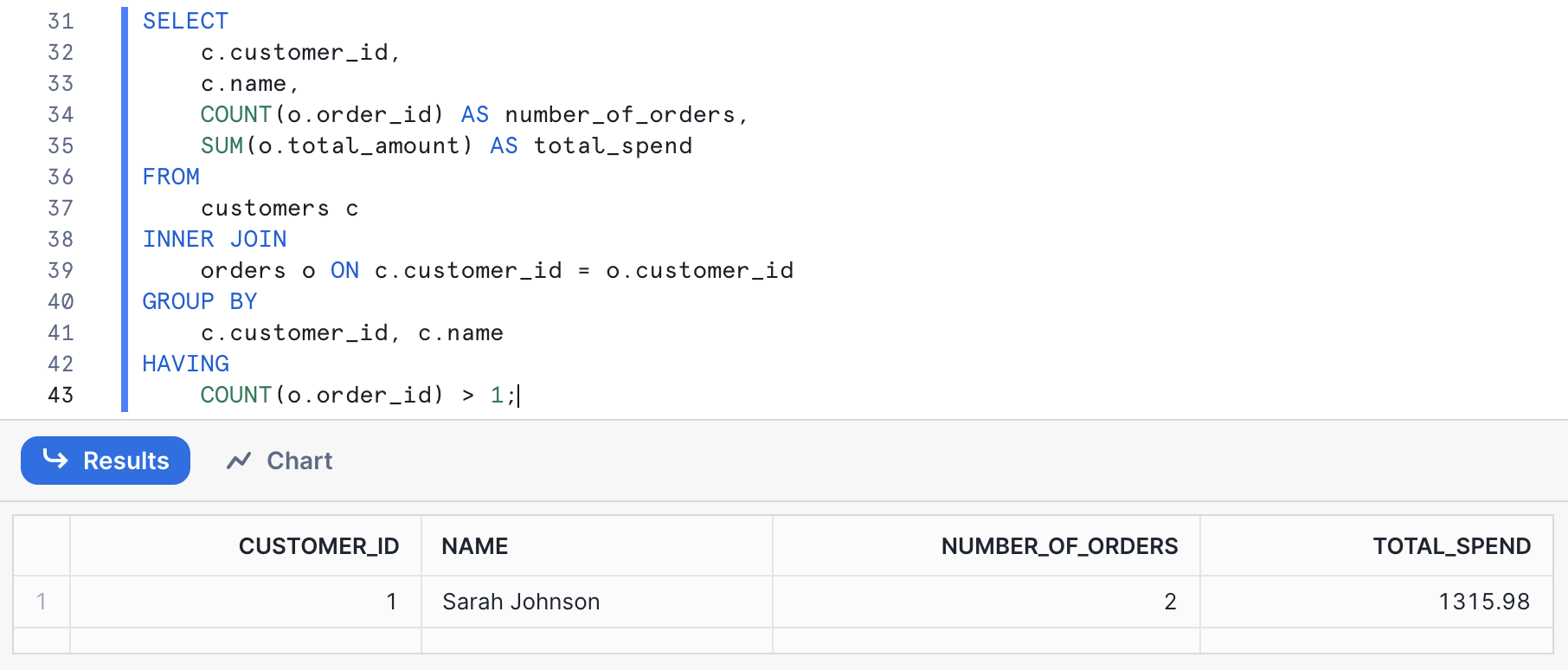
Explanation
Step 1: Join Customers and Orders Tables The
INNER JOINclause joins thecustomersandorderstables oncustomer_idto combine customer information with their orders.Step 2: Group by Customer Information The
GROUP BYclause groups the results by customer information (customer_id,name) to aggregate the data for each customer.Step 3: Count Orders and Calculate Total Spend The
COUNT(o.order_id)function counts the number of orders placed by each customer. TheSUM(o.total_amount)function calculates the total spending for each customer.Step 4: Filter Repeat Customers The
HAVINGclause filters out customers who have made more than one order, identifying repeat customers.
Github:
Conclusion
By using SQL joins, aggregations, and filtering, you can efficiently identify repeat customers and calculate their total spend. This information is valuable for businesses to identify their most valuable customers and enhance their retention strategies.
Stay tuned for more articles in this SQL Interview Questions Series as we delve deeper into a variety of questions and scenarios asked by top companies!


